Disclaimer: This article is for informational purposes only. Indonesian entry rules may change, so always check official government sources or speak with a legal advisor before making any decisions.
Key Takeaways
| Key Questions: All Indonesia Arrival Card | Quick Answers |
| Is it mandatory? | Yes, for passengers arriving from outside Indonesia |
| Who must complete it? | Foreign visitors and returning Indonesian citizens |
| When can it be submitted? | From three days before arrival until the arrival day |
| What is the price? | The official arrival declaration has no government application fee |
| Where can it be completed? | Official website, Android app, or iPhone app |
| What happens after submission? | A QR code is displayed for download |
| Is it an Indonesian visa? | No, visa requirements must be handled separately |
| Can it include family members? | Family or group members can be added to a submission |
| Can the QR code be retrieved? | Yes, through the official retrieval page |
If you are planning a trip to Bali, you will now need to complete the new All Indonesia Arrival Card.
The Indonesia Arrival Card is an online form that brings together immigration, customs, health, and quarantine details in one place. It replaces several separate forms and helps make the airport process smoother for international travelers.
This guide explains everything you need to know about this entry requirement to ensure a smooth travel experience.
What Is the All Indonesia Arrival Card?
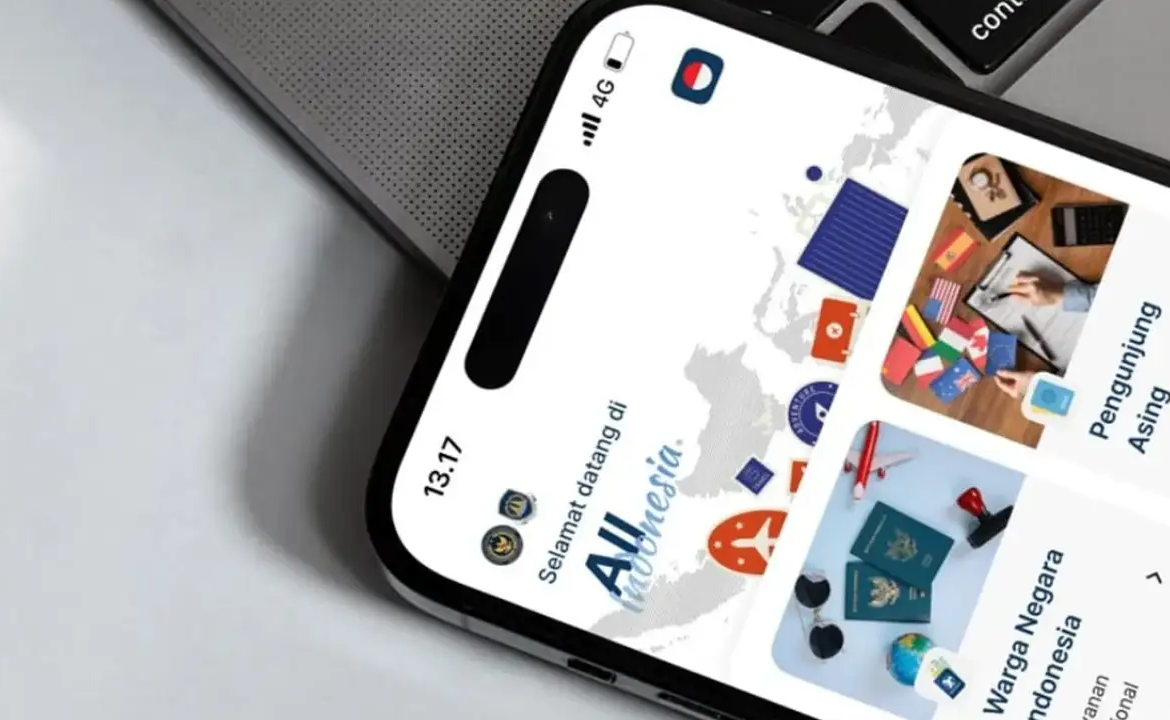
The All Indonesia Arrival Card is the official digital form for people arriving in Indonesia from other countries. It collects information needed for immigration, customs, health, and quarantine (including pets, plants, fresh foods, and fish).
This card is not a visa, so you still need a valid visa or visa-free entry to enter Indonesia. You can fill out the form on the official website (allindonesia.imigrasi.go.id) or use the app from the App Store or Google Play.
Who Must Complete the New Arrival Card?
According to Indonesia's official rules, everyone arriving from another country must complete the declaration. This includes foreign tourists, business visitors, foreign residents returning to Indonesia, and Indonesian citizens coming back from abroad. Children also need to be included.
If you are traveling with family or a group, one main applicant can add other travelers during the application, so you do not have to start a new form for each person. Make sure to enter each person's passport and personal details correctly.
When Should You Submit It?
You can complete the form from three days before your arrival date until the day you arrive in Indonesia. For example, if you are arriving on July 10, the form will be available from July 7.
The safest time to submit it is around 24 to 48 hours before arrival, once your flight number, arrival date, and accommodation details have been confirmed.
Submitting the form before departure is even better, as airport Wi-Fi, mobile data issues, and immigration queues can make last-minute registration more stressful.
How to Complete the All Indonesia Arrival Card Online
1. Prepare the Required Data
Have these details ready before you begin your application:
- Passport information: Full name exactly as shown in your passport, nationality, date of birth, gender, passport number, passport expiry date, country of origin, and an active email address for OTP verification.
- Travel information: Arrival date, airport or seaport of arrival, airline or transportation operator, flight number or vessel details, purpose of travel, and accommodation details in Indonesia, if requested.
- Declaration information: Your current health condition, any symptoms or relevant health history, goods in your luggage, items that must be declared to customs, animals, fish, plants or related products, and any food, agricultural, or biological items that may require quarantine inspection.
2. Access the Official Website or App
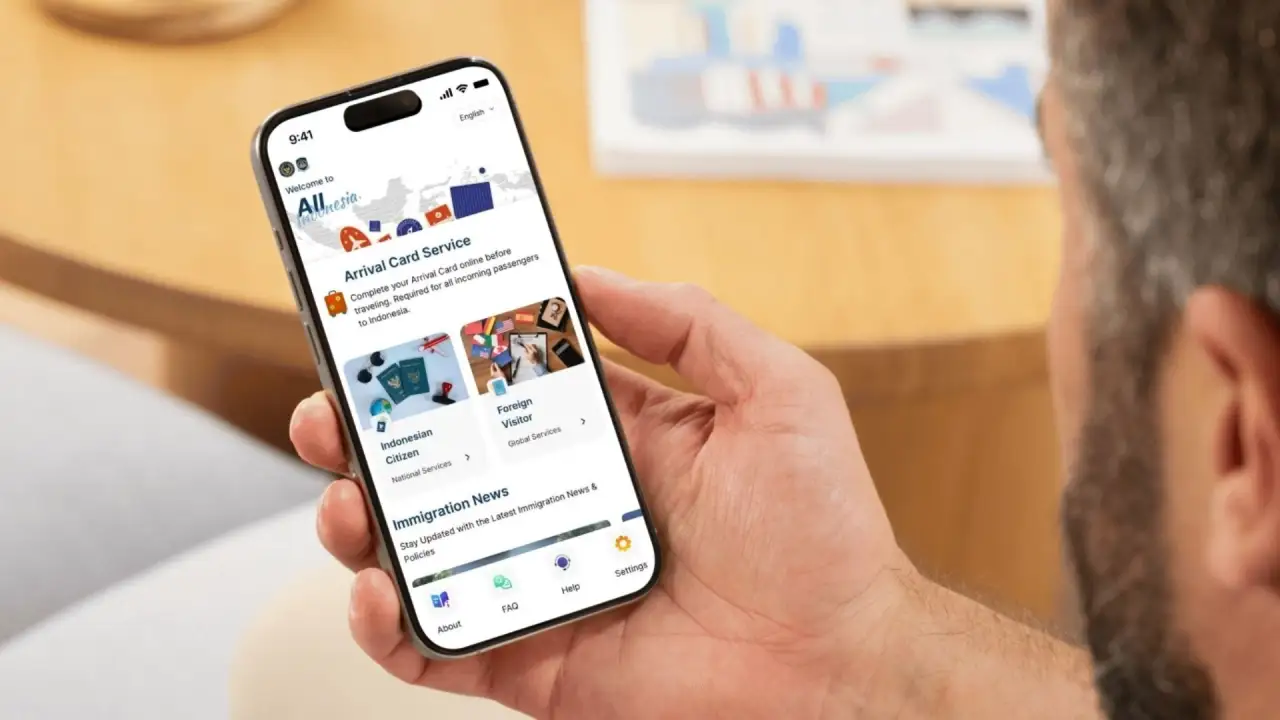
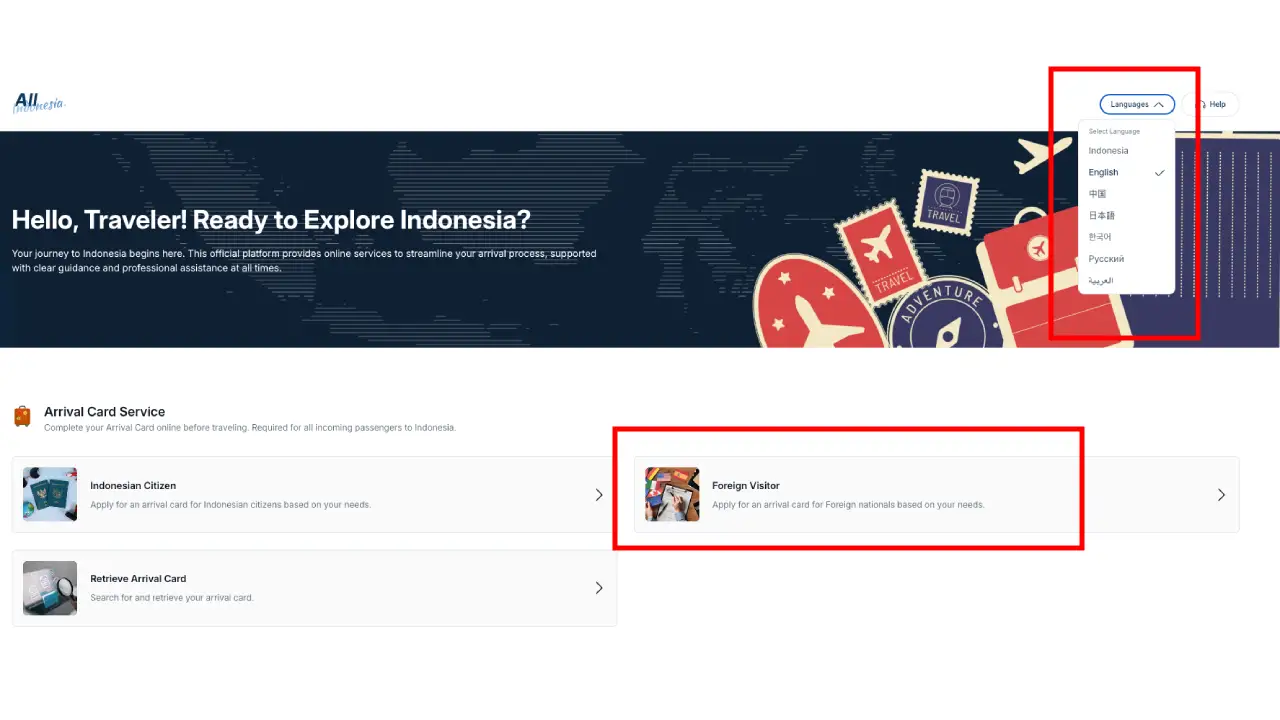
Visit the official All Indonesia website or open the official mobile app, which is available on the App Store and Google Play. Select the language you are most comfortable using. Then, choose the “Foreign Visitor” option (as shown in the image below).
3. Enter Your Personal Information
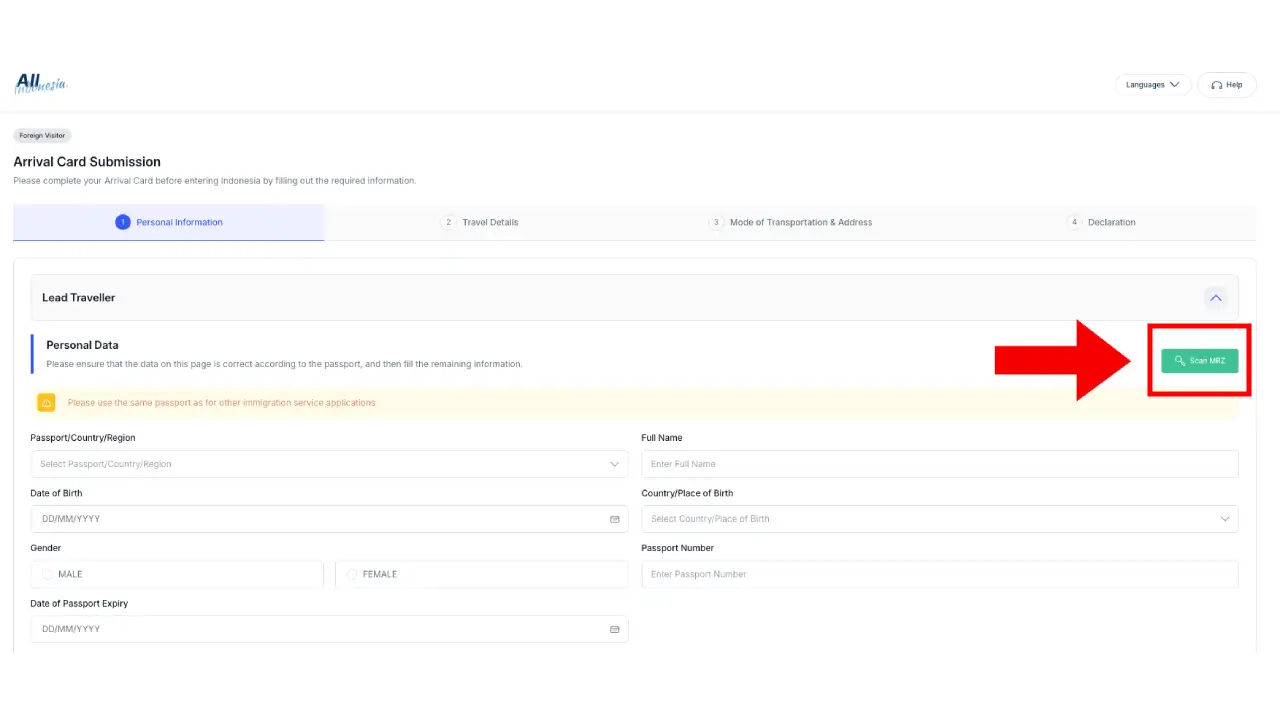
Enter your passport and contact details exactly as they appear in your travel documents. You can also click the green “Scan MRZ” button to scan the machine-readable zone of your passport. The system will then fill in some of your passport details automatically, as shown below.
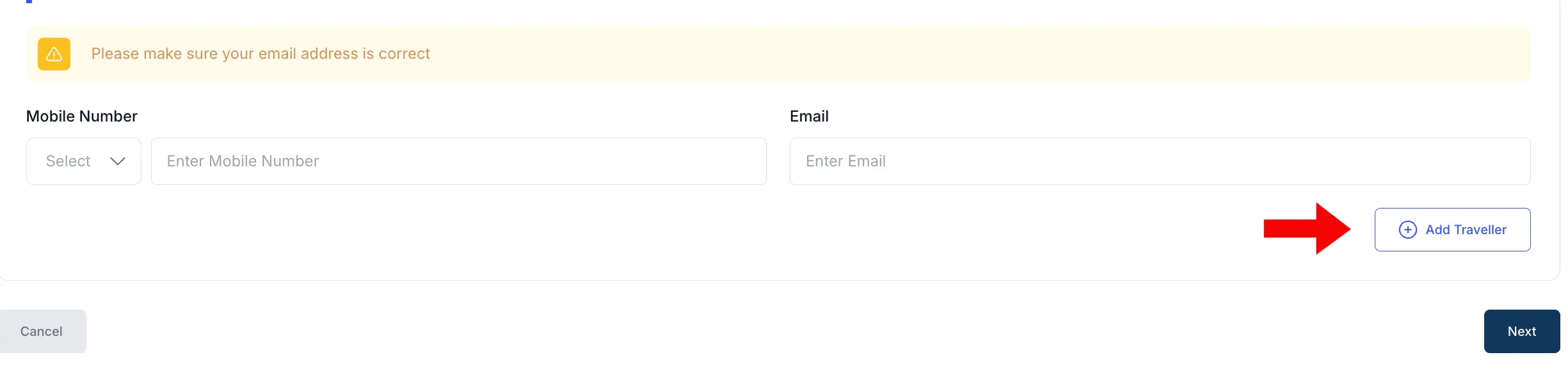
If you're traveling as a group or family, you can add other travelers at the bottom of the form by clicking the “Add Traveler” button. Check that each traveler’s name, passport number, and date of birth are correct.
4. Fill In Your Travel Details
Next, complete your travel details. These include your arrival date in Indonesia, departure date from Indonesia, and visa or stay permit number.
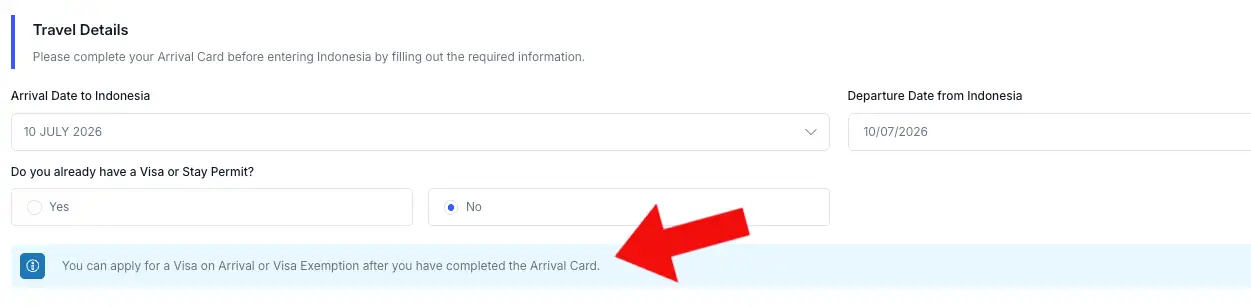
You will be asked whether you already have a visa. If you do not, select “No.” An information pop-up will appear stating: “You can apply for a Visa on Arrival or Visa Exemption after you have completed the Arrival Card.”
5. Enter Your Transportation and Accommodation Details
The next section asks for information about your transportation and address in Indonesia.
Provide your arrival date and select whether you are entering Indonesia by air or sea. Enter your airline, flight number, airport, ship, or seaport details as requested.
You will also be asked about your purpose of travel and type of accommodation, such as a private residence, hotel, or other accommodation. You must also provide the full address.
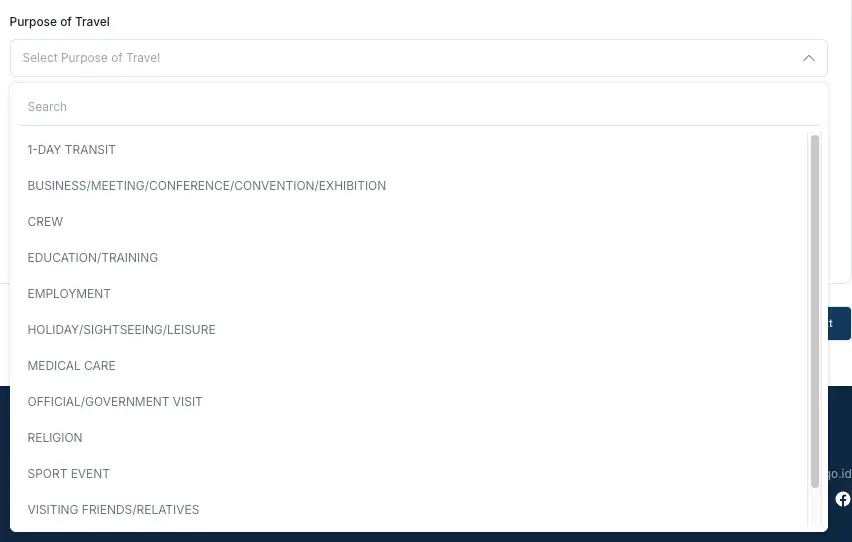
The form provides several options for your purpose of travel:
- 1-day transit
- Business/meeting/conference/convention/exhibition
- Crew
- Education/training
- Employment
- Holiday
- Medical care
- Official/government visit
- Religion
- Sport event
- Visiting friends/relatives
- Others
6. Complete the Customs, Health, and Quarantine Declaration
Finally, complete the health, quarantine, and passenger or crew baggage declarations.
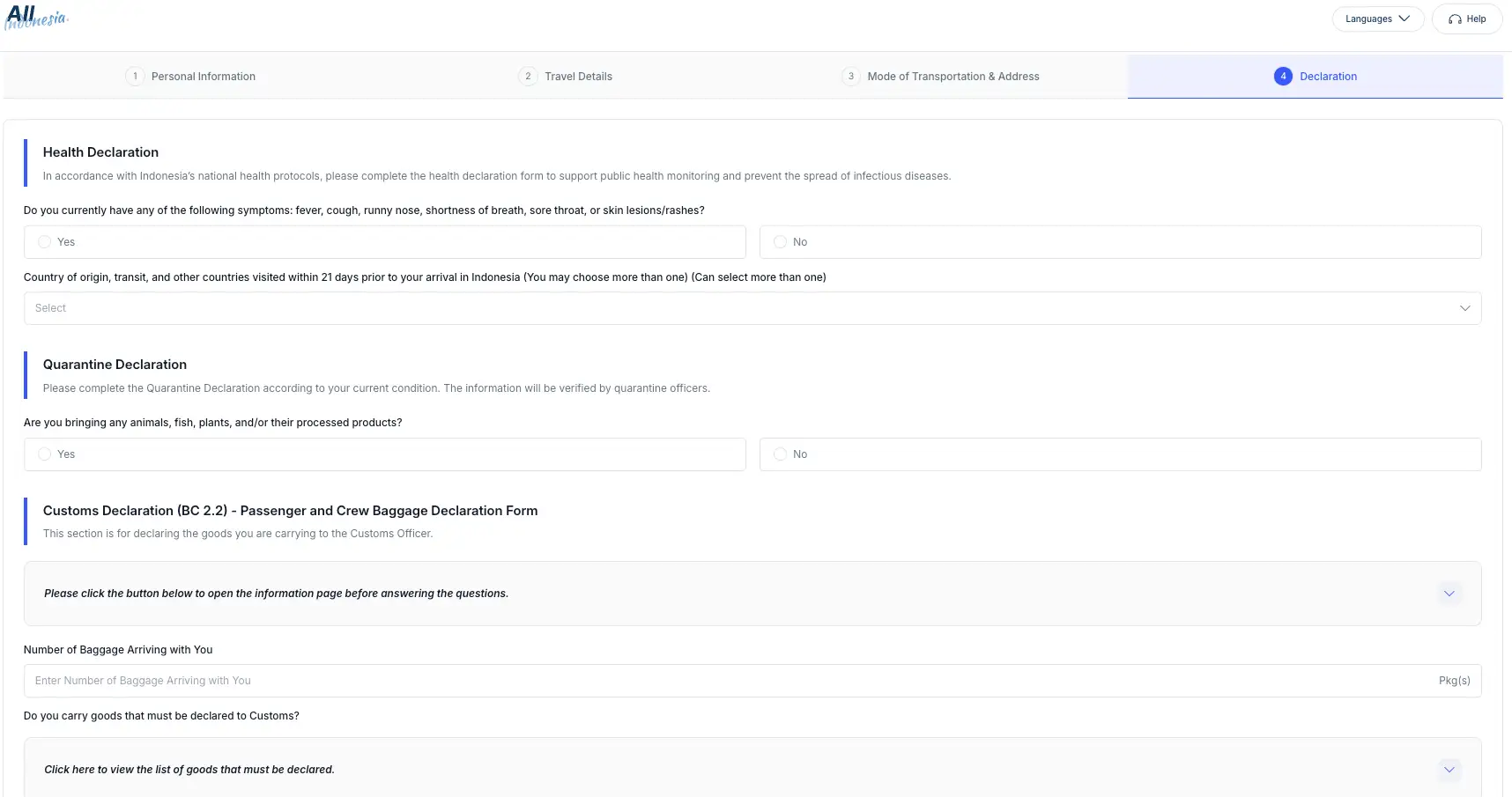
Answer all immigration, health, customs, and quarantine questions accurately. Declare any goods, animals, food, plants, or other controlled items that you are bringing into Indonesia.
Once you have completed the form, carefully review all the information before clicking the “Submit” button. Incorrect information may cause problems when your declaration is checked against your passport and travel documents.
7. Submit the Form and Download the Arrival Card QR Code
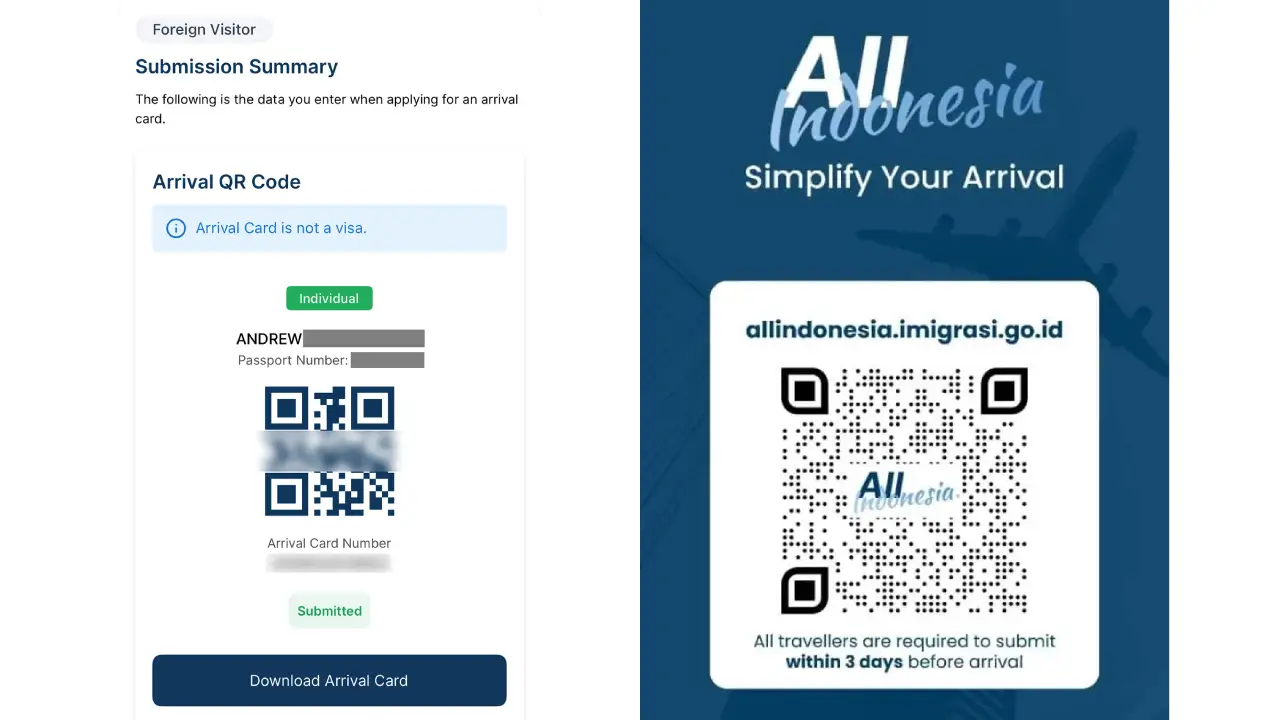
After your submission is successful, the system will display your arrival card QR code. Download the QR code and take a screenshot of it. Save it somewhere that you can access without an internet connection. It is also recommended to create a backup by saving the screenshot to your email or keeping a printed copy.
However, if you lose the QR code, you can retrieve it through the “Retrieve Arrival Card” menu on the official website’s homepage.
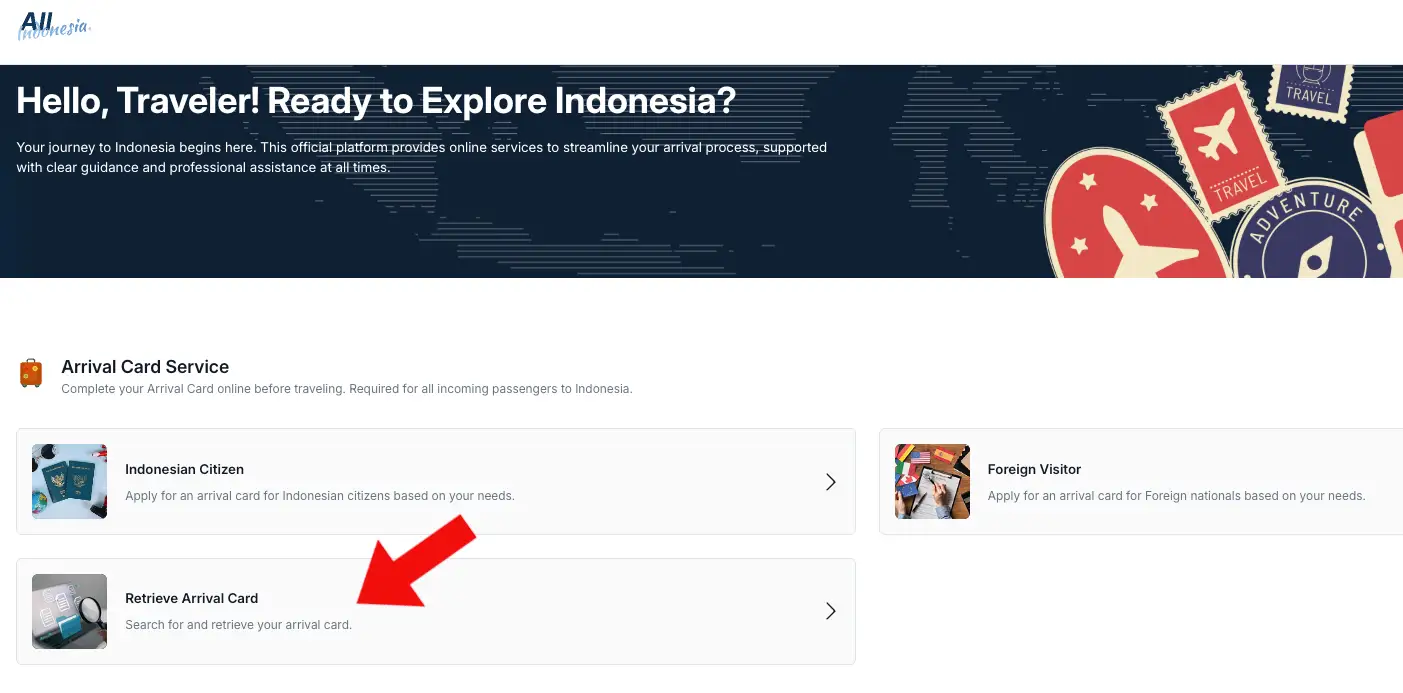
Enter the requested personal or submission information. If the system finds the correct application, you will be able to download your proof of submission again.
How Much Does All Indonesia Arrival Card Cost?
You are not getting charged for fulfilling the All Indonesia Arrival card since it’s not a paid visa service. The app is free to download, and the official arrival card portal does not present a government application fee for submitting the declaration. So, be careful if another website asks you to pay a service fee for completing the card.
Read More: How Does eSIM Work on Grab App? A Guide for Foreign Travelers in Bali
Common Problems and Practical Solutions
- The arrival date is unavailable: You may be trying to submit the card too early. Wait until you are within three days of your arrival date.
- The email verification code does not arrive: Check your spam or junk folder. Confirm that the email address was entered correctly and request another code if the option is available.
- The passport scan does not work: Enter the information manually. Make sure the name, passport number and expiry date match the passport exactly.
- Your accommodation does not appear: Try entering the official property name, street name or nearby area. Keep the full address from your hotel or villa booking ready.
- You cannot find the QR code: Use the official arrival card retrieval page to search for and download your submission again.
- The app is not working: Use the official browser-based website instead. You do not need the mobile app to complete the arrival declaration.
- You entered incorrect information: Review whether the official system allows you to create a corrected submission or contact the All Indonesia help centre. Do not knowingly present a QR code containing incorrect passport or travel details.
Conclusion
The new All Indonesia Arrival Card makes entering Indonesia easier by combining immigration, customs, health, and quarantine declarations into one digital form. You can complete it through the official website or mobile app within three days before your arrival.
However to complete the form, you need to provide the address of your villa, hotel, or other accommodation in Bali. If you have not found the right place to stay yet, Bali Villa Realty can help make the search easier.
Bali Villa Realty offers a wide selection of villas for monthly or yearly rent, as well as villas for sale for those planning to make Bali their new home or investment destination.
Feel free to contact our team for recommendations or general property information anytime. No commitment required.
FAQ
No. You must still meet Indonesia’s visa or visa-free-entry requirements.
Yes. Every traveller, including children, must be included. Family or group members can be added during the application process.
Yes. It is mandatory for passengers arriving in Indonesia from outside the country, including foreign visitors and returning Indonesian citizens.